30+ Memorable Event Badge Ideas: The Complete Guide for 2026
Event badges are doing more work than ever. They tell attendees who’s in the room, who’s worth meeting, and where to go next, all while doubling as a check-in credential, a session tracker, and a sponsor surface. When the design is wrong, the whole event feels harder: lines back up at registration, attendees squint at names from across the room, and the LinkedIn connections you wanted to spark never happen.
This guide breaks down 31 event badge ideas across corporate, association, medical, networking, and special events, plus the layout, material, and engagement choices that make each one work. For a step-by-step walkthrough of the full design and print process, see EventMobi’s complete guide to conference badge design.
Key Takeaways
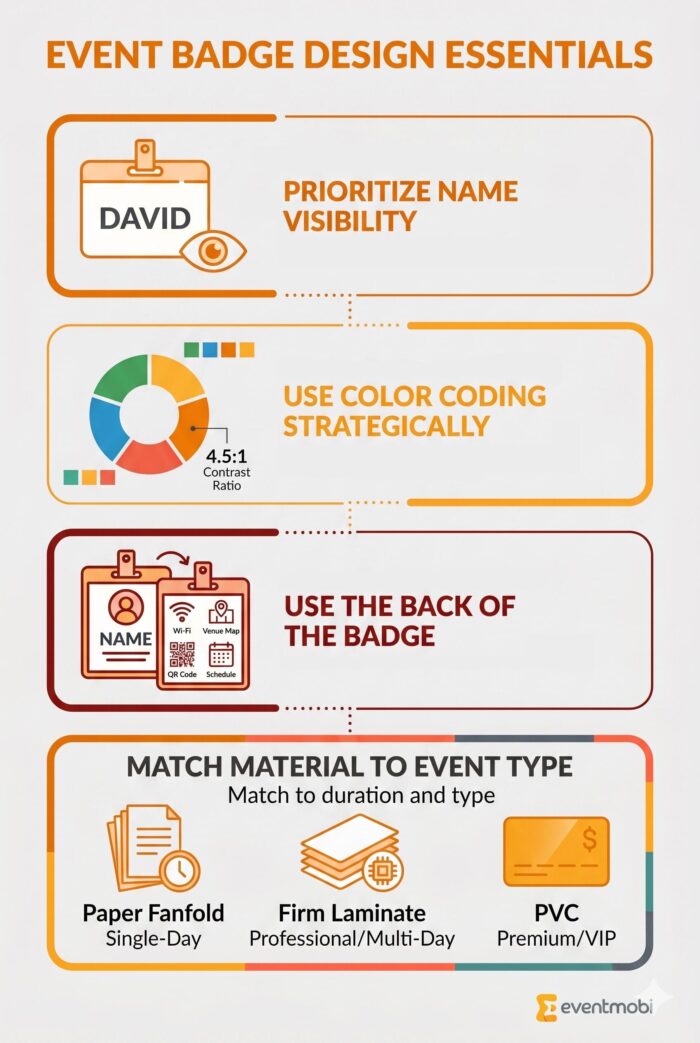
- Prioritize name visibility: First names should be readable from 6-8 feet away using sans-serif fonts at 24-36 pt.
- Use color coding strategically: Stick to 4-5 colors with a 4.5:1 contrast ratio for accessibility.
- Use the back of the badge: Add Wi-Fi details, venue maps, QR codes, or networking prompts.
- Match material to event type: Firm laminate for most professional and multi-day conferences, paper fanfold for budget-friendly single-day events, PVC for premium and VIP experiences. Pre-order blank stock in advance and personalize with onsite-printed labels.
Why Is Event Badge Design Important?
Badges are usually the first thing an attendee touches at your event and the last thing they take off at the end of the day. That makes them the most consistent piece of branded real estate you have, and the most underused. According to the Professional Convention Management Association (PCMA), attendee experience and meaningful connections are the priorities event professionals are designing for, and badges are where both happen, in the hallway and around the coffee station, not in the keynote.
A well-designed badge solves three problems planners run into at almost every event:
- Helping attendees spot the people they came to meet: Bold first names and role-based color coding mean an attendee can pick out a speaker, sponsor, or exhibitor from across the room without asking three people first.
- Cutting down on awkward introductions: Adding company name, job title, and a “Scan to Connect” QR code gives people something to start with, so first conversations don’t stall on “What do you do?”
- Reducing traffic jams at the help desk: Track labels, session indicators, and venue info on the badge mean fewer attendees pulling staff aside to ask where Room 4B is, especially in the first hour of day one.
When the design choices line up, badges stop being a registration formality and start carrying real weight in how the event runs.
Elements of Proper Event Badge Design
When designing your event badges, there are a couple of considerations to keep in mind. Let’s review the main elements your badges should include and tips for implementing them effectively.
Name Display Guidelines
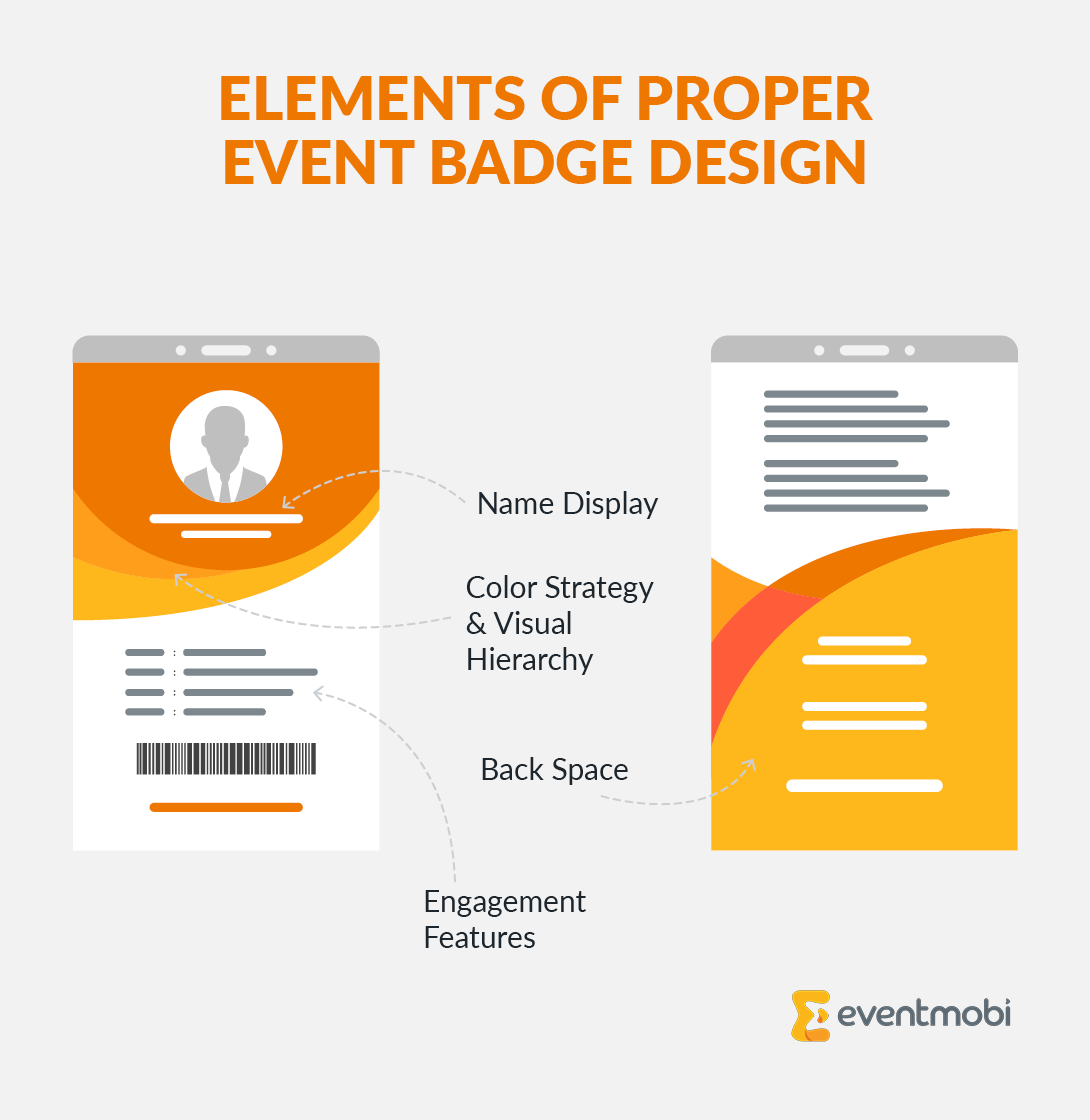
Your event badge design starts with the most important element: the attendee’s name. Typography makes or breaks readability, so font choices and sizing are critical. First names should be visible from 6-8 feet away, using sans-serif fonts like Arial or Helvetica for maximum legibility. According to the Web Content Accessibility Guidelines (WCAG), clear typography is essential for ensuring all attendees can read badge information quickly.
To ensure readability, use the following font sizes for name display:
- First names: 24-36 pt font size
- Last names: 18-24 pt font size
- Company names: 16-20 pt font size
- Titles: 14-18 pt font size
Test your designs with both short and long names to maintain readability and a professional appearance. For instance, what works for an attendee named “Bob Smith” should also work for an attendee named “Christine Montgomery-Fitzgerald.”
Color Strategy & Visual Hierarchy
Color makes badges intuitive navigation tools. A well-planned color system helps attendees instantly recognize different tracks, access levels, or roles. However, restraint is key; stick to 4-5 colors to avoid confusion.
Additionally, follow these tips to choose effective badge colors:
- Use high-contrast colors for better readability (minimum 4.5:1 contrast ratio per WCAG standards).
- Keep colors consistent across all event materials.
- Add patterns or icons in addition to color so attendees with color vision deficiency can still tell the difference.
- Include pronouns when requested to create an inclusive environment for all attendees.
- Match colors to your event branding for visual cohesion.
The most important details should stand out immediately, while secondary information remains visible but subtle. This natural hierarchy helps attendees process information quickly, especially in fast-paced networking environments.
Using Badge Back Space
The main QR code belongs on the front of the badge. It’s tied to the attendee’s registration record, and it’s what the EventMobi Onsite App reads at check-in and at session scans for Continuing Education credit tracking (CE, CME, and CLE). Keep this code untouched and consistent across every badge.
The back of the badge is where you have room to add value. It’s often left blank, but it’s prime real estate for the practical information attendees ask staff for all day. Smart ways to use the back include:
- Add a venue map with key locations marked.
- List emergency contacts and the help desk number.
- Display Wi-Fi network details so attendees aren’t asking the help desk line for the password.
- Add a bonus QR code linking to FAQs, session guides, sponsor materials, or the attendee’s LinkedIn profile if you captured it at registration.
For event-resource QR codes (FAQs, agenda, sponsor list), personalize links by attendee type rather than per individual to keep bulk badge production manageable. Generate the codes with a free QR code generator and upload them into your badge design tool.
Engagement Features
Badges can do more than display names; they can spark conversations and encourage participation. Here’s how to make them more interactive:
- Add gamification elements: Hide challenge codes on event badges and use stickers or ribbons to reward participation in scavenger hunts or interactive sessions.
- Provide conversation starters: Add icebreaker prompts, industry topics, or interests to help attendees connect without the awkward opener.
- Make networking easier: If you collect LinkedIn profiles at registration, add a back-of-badge QR code that links to each attendee’s profile so a quick phone scan replaces the business-card shuffle.
- Use ribbons and stickers for roles and milestones: First-time attendee, speaker, mentor, sponsor, top-tier — physical add-ons are cheap, fast to apply onsite, and signal status at a glance.
Track whether the badge work paid off by checking engagement metrics against post-event survey results: did attendees use the back-of-badge resources, did exhibitors capture more leads, did the icebreaker prompts actually start conversations?
Event Badge Materials: What Works for Different Event Types
The right materials make badges both durable and functional. While unique options might catch your eye, they often cause printing problems and delays. Stick with materials that ensure clear printing and withstand the demands of a busy event.
Explore the best badge materials by event type:
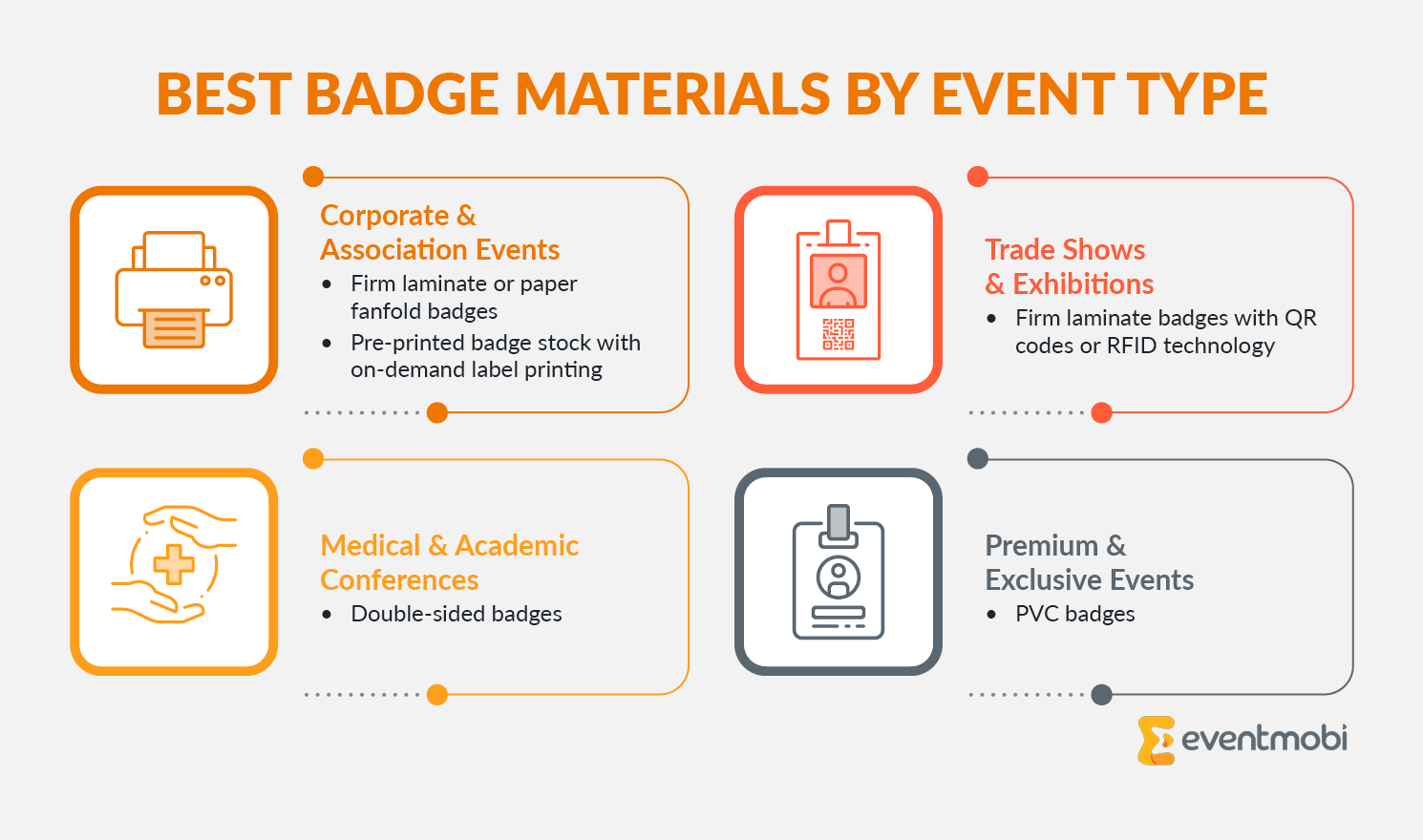
- Corporate & Association Events: Firm laminate or paper fanfold badges provide a professional look and hold up well throughout multi-day events. Using Onsite Badge Printing to print labels on demand handles last-minute changes without sacrificing quality.
- Trade Shows & Exhibitions: Exhibitor badges must be durable and easy to scan. Firm laminate badges with QR codes or RFID technology support easy lead capture and exhibitor interactions while maintaining a polished appearance.
- Medical & Academic Conferences: These events require badges that clearly display specialties, certification levels, and QR codes for session check-ins and CME tracking. Double-sided badges can include general event schedules and key learning resources relevant to all attendees.
- Premium & Exclusive Events: For award ceremonies, VIP programs, and high-end networking events, PVC badges provide a polished, high-quality finish while remaining durable. These are ideal for showcasing VIP access and sponsor branding while keeping production practical and scalable.
Eco-Friendly and Sustainable Event Badge Options
According to the Events Industry Council’s Sustainability Report, 67% of event professionals now prioritize sustainable practices. For most professional, multi-day conferences, firm laminate is still the right call for the badge itself because of how much abuse a badge takes over three days. The biggest wins on sustainability come from how you handle the rest of the kit:
- Reusable badge holders: Pair firm laminate or PVC holders with paper or label inserts that can be swapped between events, so the holder is reused and only the printed insert is recycled. This is the most realistic durability-and-sustainability tradeoff for recurring events.
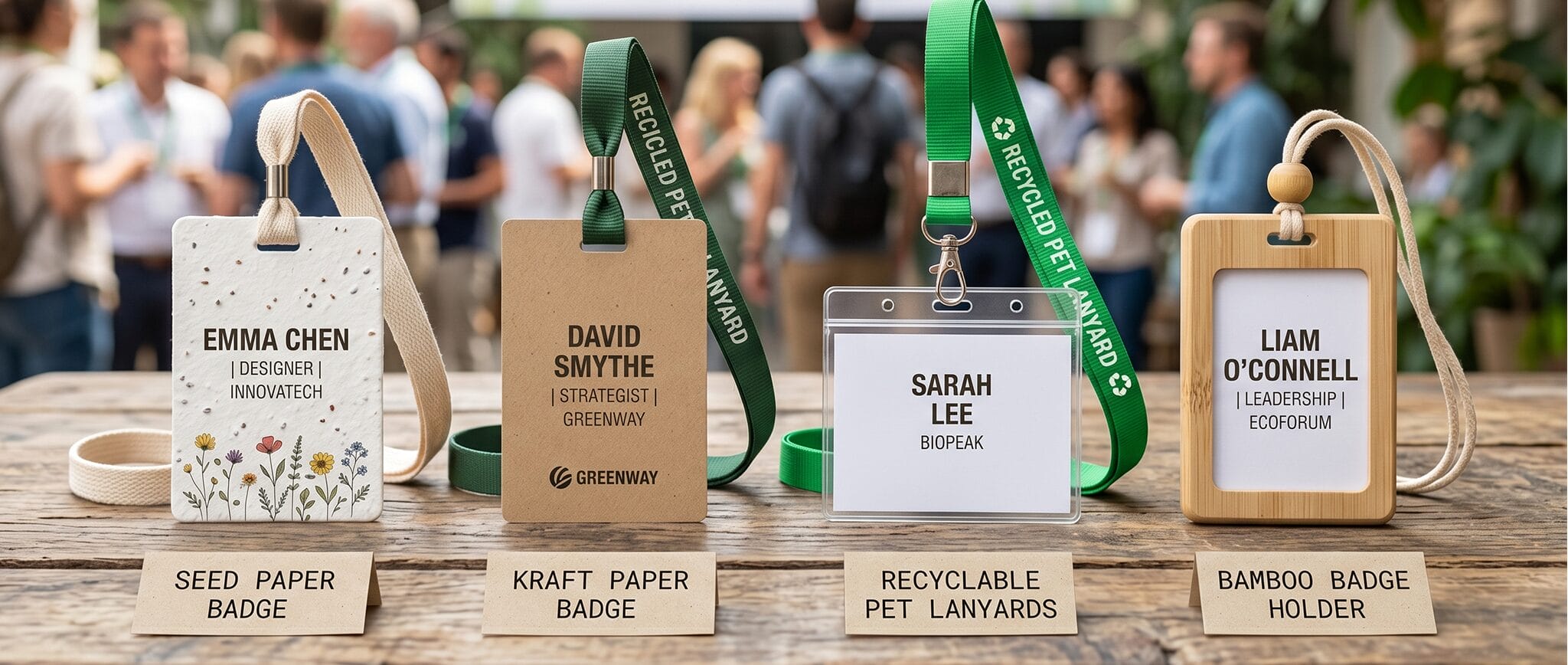
- Seed paper badges (single-day events): Biodegradable badges embedded with wildflower or herb seeds that attendees can plant after the event. Best for short-run, single-day, sustainability-focused events where durability is less of an issue.
- Kraft paper badges (single-day events): Made from recycled materials, with a natural aesthetic that suits sustainability-themed programs. Same caveat: not suited to multi-day wear.
- Recyclable lanyards: Lanyards made from recycled PET bottles or organic cotton are an easy swap that doesn’t affect the badge itself.
When selecting sustainable materials, verify certifications from recognized organizations like the Forest Stewardship Council (FSC) or Global Organic Textile Standard (GOTS) so your sustainability claims hold up in ESG reports and sponsor conversations.
31 Professional Event Badge Ideas
Your event goals shape your badge design choices. Here are battle-tested event badge ideas for different professional events:
Corporate Event Badge Ideas
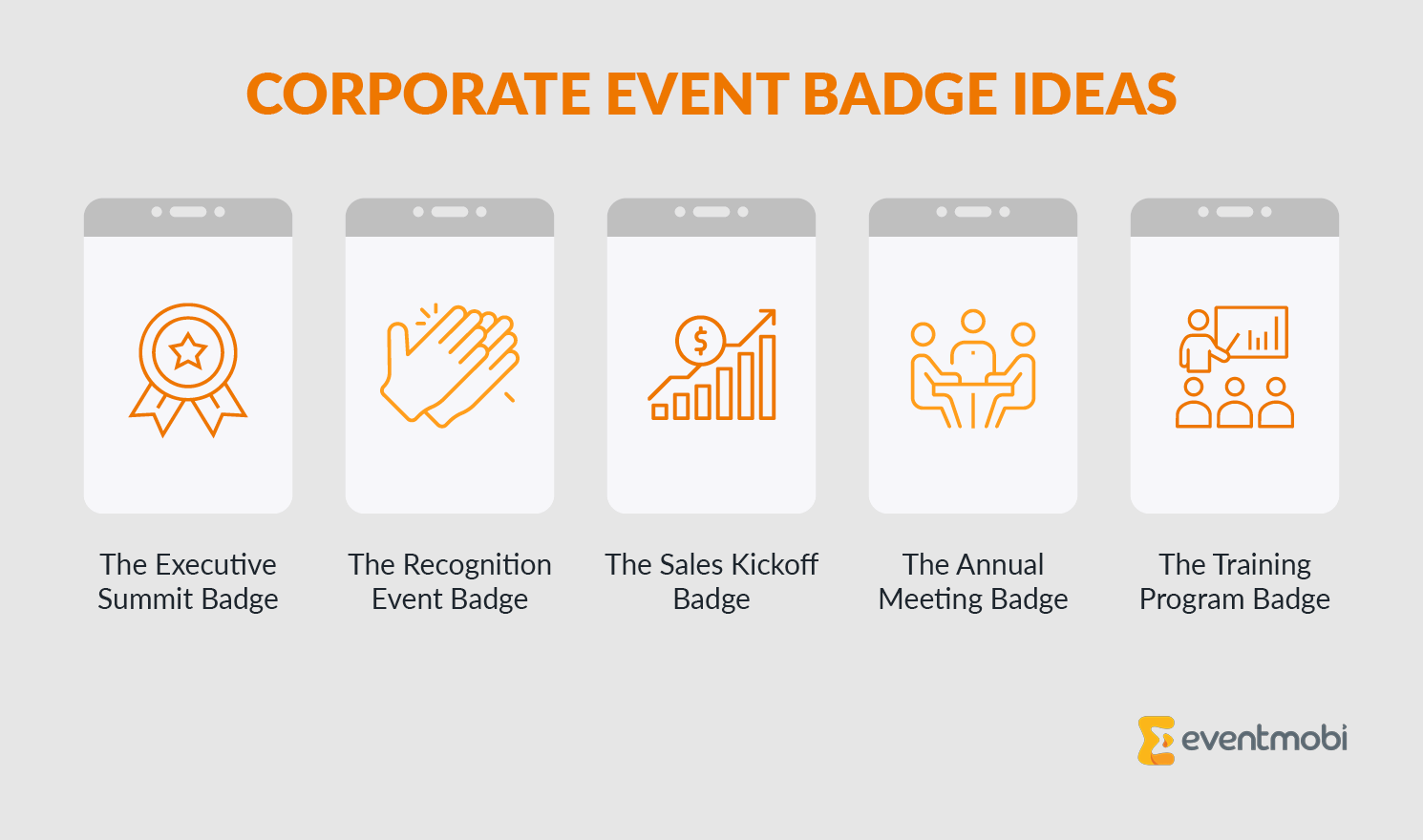
1. The Executive Summit Badge
Foster networking opportunities by displaying detailed attendee information on the front. Add a conversation starter to drive interactions. On the back, provide a QR code linking to speaker bios, post-event surveys, or key resources for continued engagement.
2. The Recognition Event Badge
Celebrate achievements by featuring attendee details and their award category prominently on the front. On the back, provide information about exclusive receptions and key honoree events happening throughout the venue.
3. The Sales Kickoff Badge
Unite sales teams with territory and team identifiers on the front. On the back, include a QR code linking to the daily agenda, breakout team assignments, and sales enablement materials so reps can pull up content during sessions instead of digging through email.
4. The Annual Meeting Badge
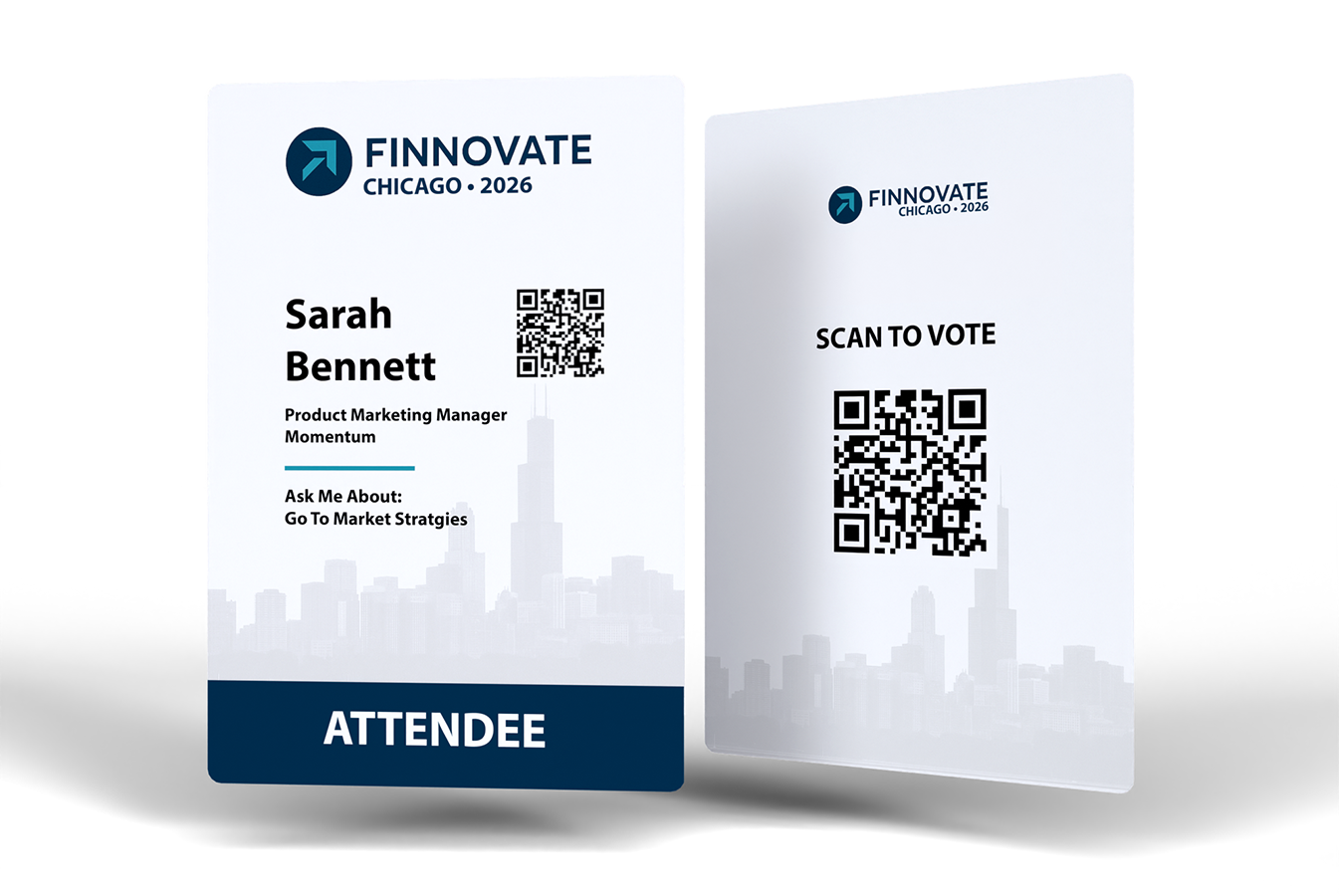
Simplify participation by displaying attendee meeting roles on the front. On the back, include a QR code directing attendees to voting platforms, proxy assignment details, or key governance documents.
5. The Training Program Badge
Encourage professional development by listing certification levels and learning tracks. On the back, include a QR code linking to session slides, key learning materials, or a resource hub for further education.
Association Event Badge Ideas
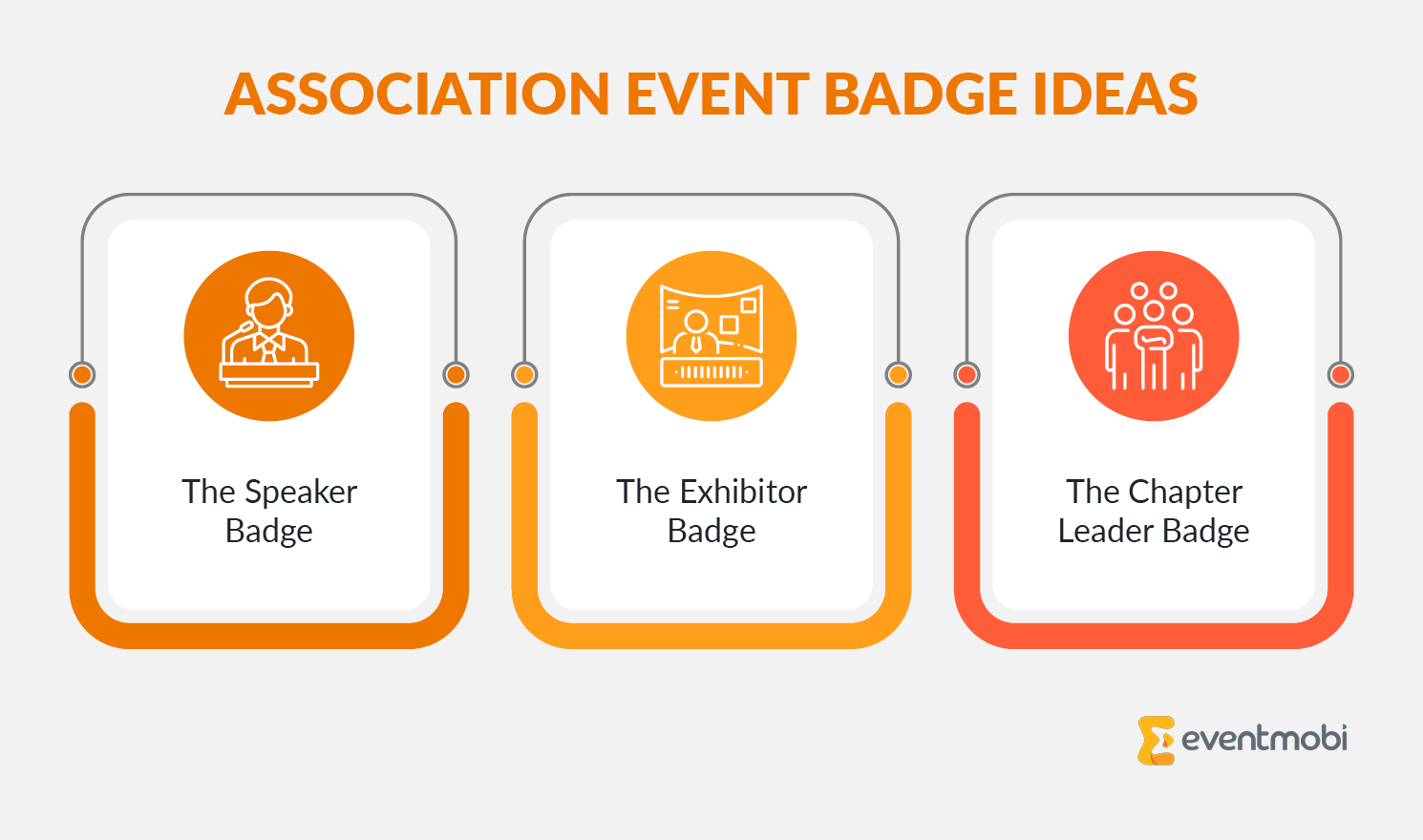
6. The Speaker Badge
Help speakers promote their sessions by displaying “Ask me about…” below their name on the front, along with session titles and room numbers. On the back, add technical setup checklists and AV team contacts to ensure stress-free presentations.
7. The Exhibitor Badge
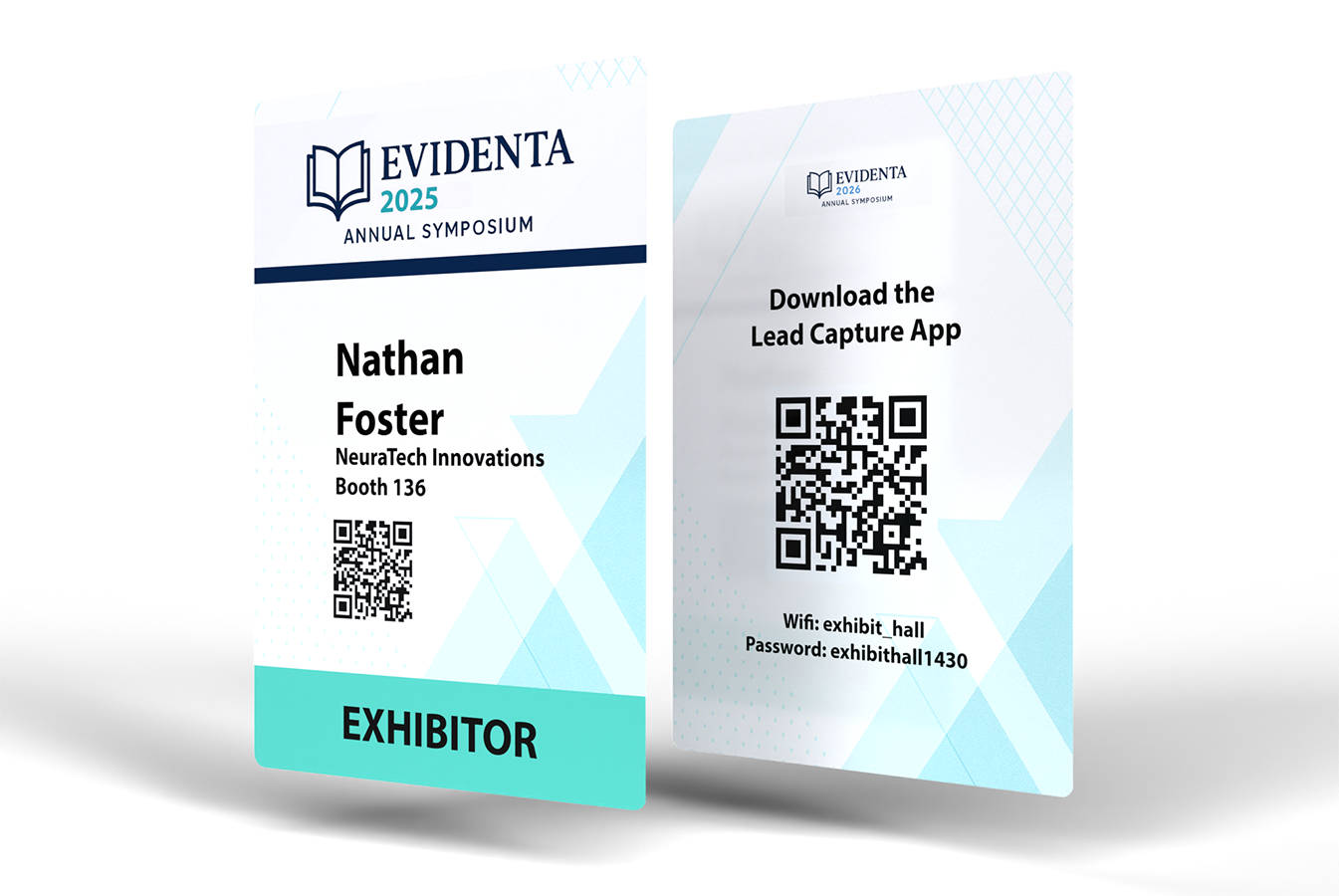
Drive engagement with event exhibitors by highlighting the sponsor company’s name, logo, and booth location on the front. Adding key information on the back, like Wi-Fi details or download details for the Lead Capture App, will save both organizers and exhibitors valuable time.
8. The Chapter Leader Badge
Identify leaders by including their chapter names and roles on the front. On the back, include a QR code linking to key resources like chapter management guidelines, leadership meetups, policy updates, and direct contact details for association support staff.
Medical & Academic Event Badge Ideas
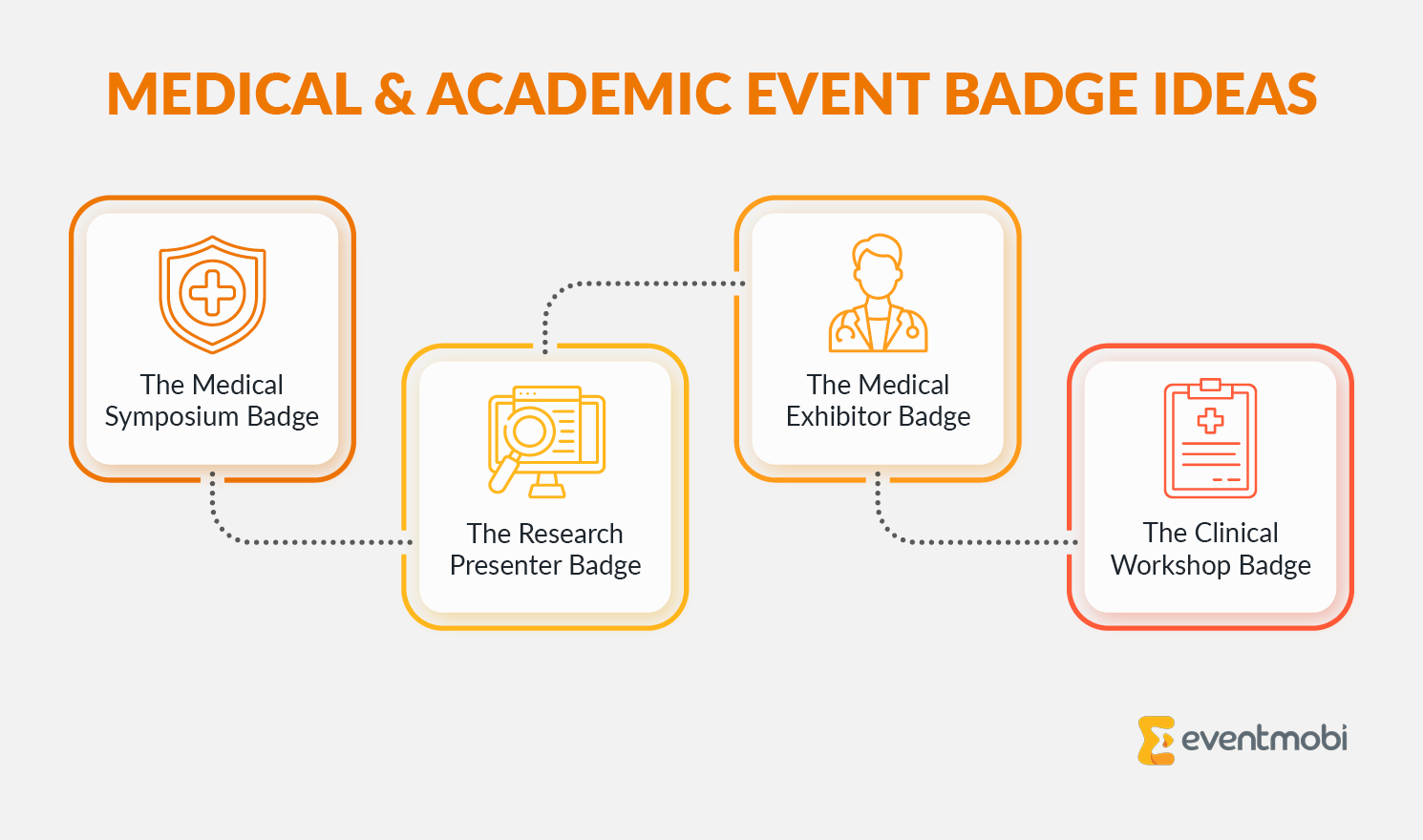
9. The Medical Symposium Badge
On the front, display attendee details, including specialty and certification level, and a QR code for session check-ins and Continuing Medical Education (CME) tracking. On the back, include CME credit claim instructions, session evaluation deadlines, or a link to a shared repository with session handouts and speaker slides.
10. The Research Presenter Badge
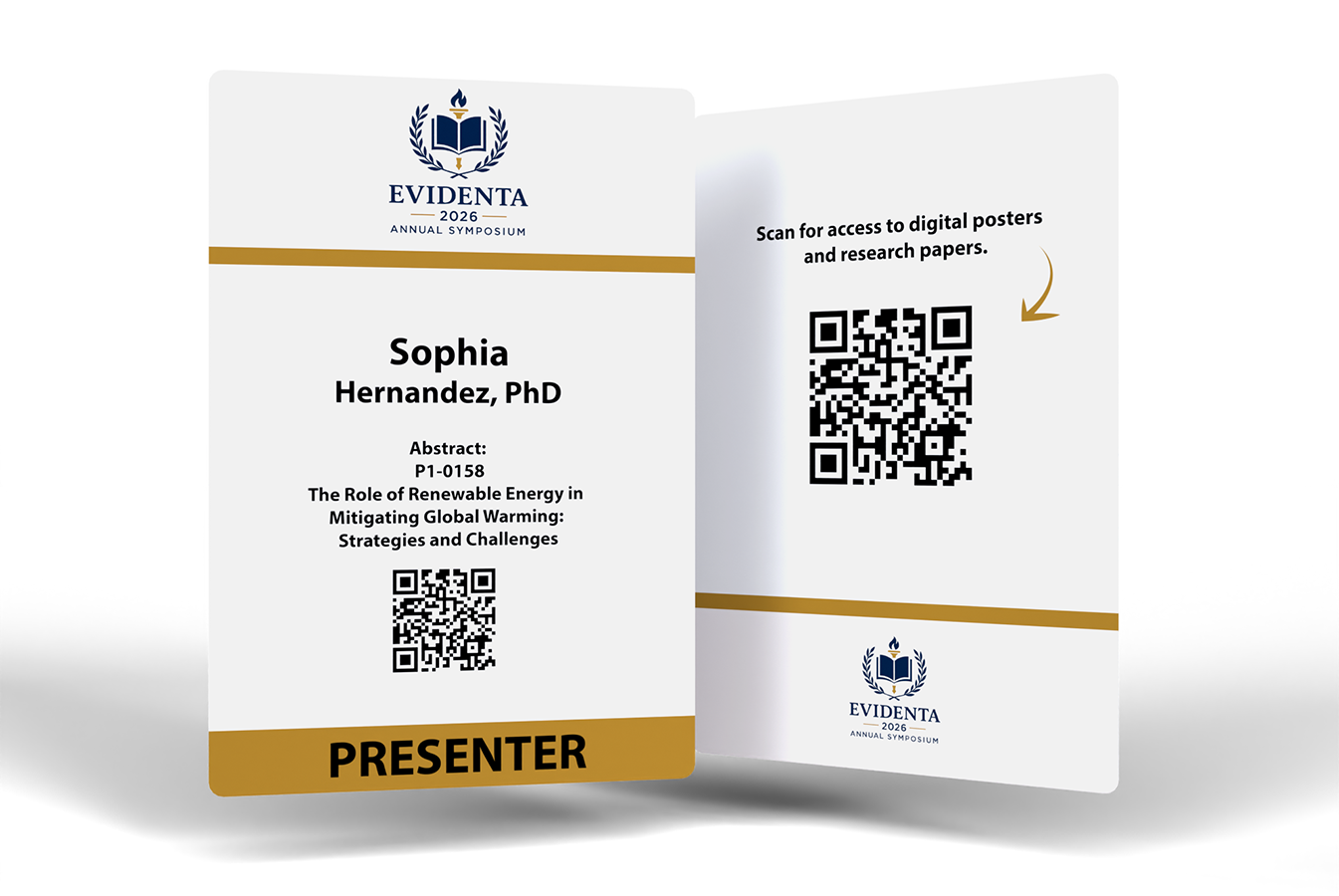
Help presenters connect with attendees by featuring their names, abstract numbers, and presentation details on the front. On the back, include a QR code linking to digital posters, research papers, or group discussion forums for continued engagement beyond the session.
11. The Medical Exhibitor Badge
Increase exhibitor visibility by featuring company name, logo, booth location, and specialty focus on the front. On the back, include a QR code linking to exhibitor services like lead retrieval support, order forms, shipping details, and venue contacts. Pair with the EventMobi Lead Capture App so exhibitors can scan attendee badges and follow up after the event.
12. The Clinical Workshop Badge
Highlight attendees’ expertise by displaying specialties and training levels on the front. On the back, include procedural checklists, essential learning objectives, and instructor contact details to ensure participants have quick access to key training resources.
Professional Development Event Badge Ideas
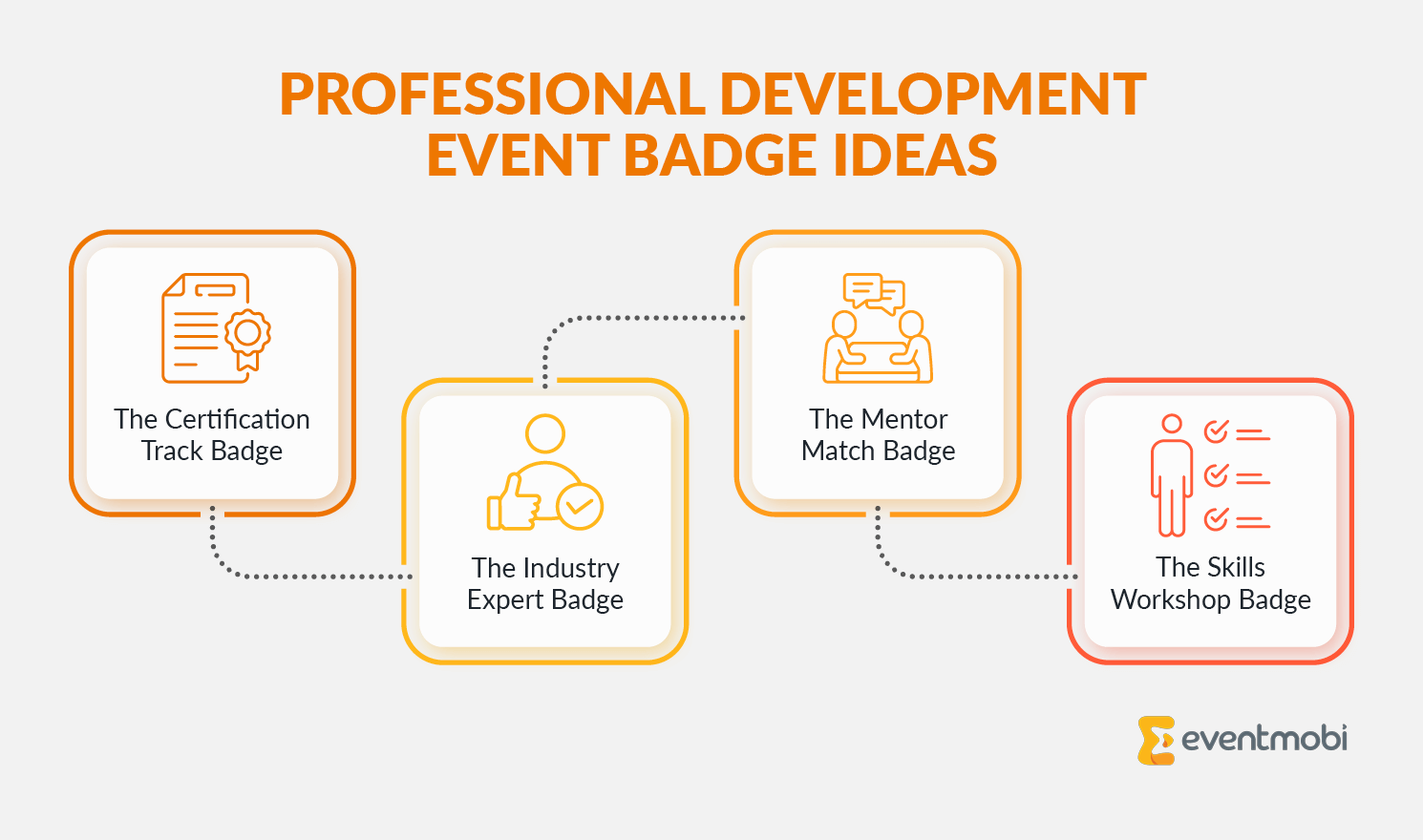
13. The Certification Track Badge
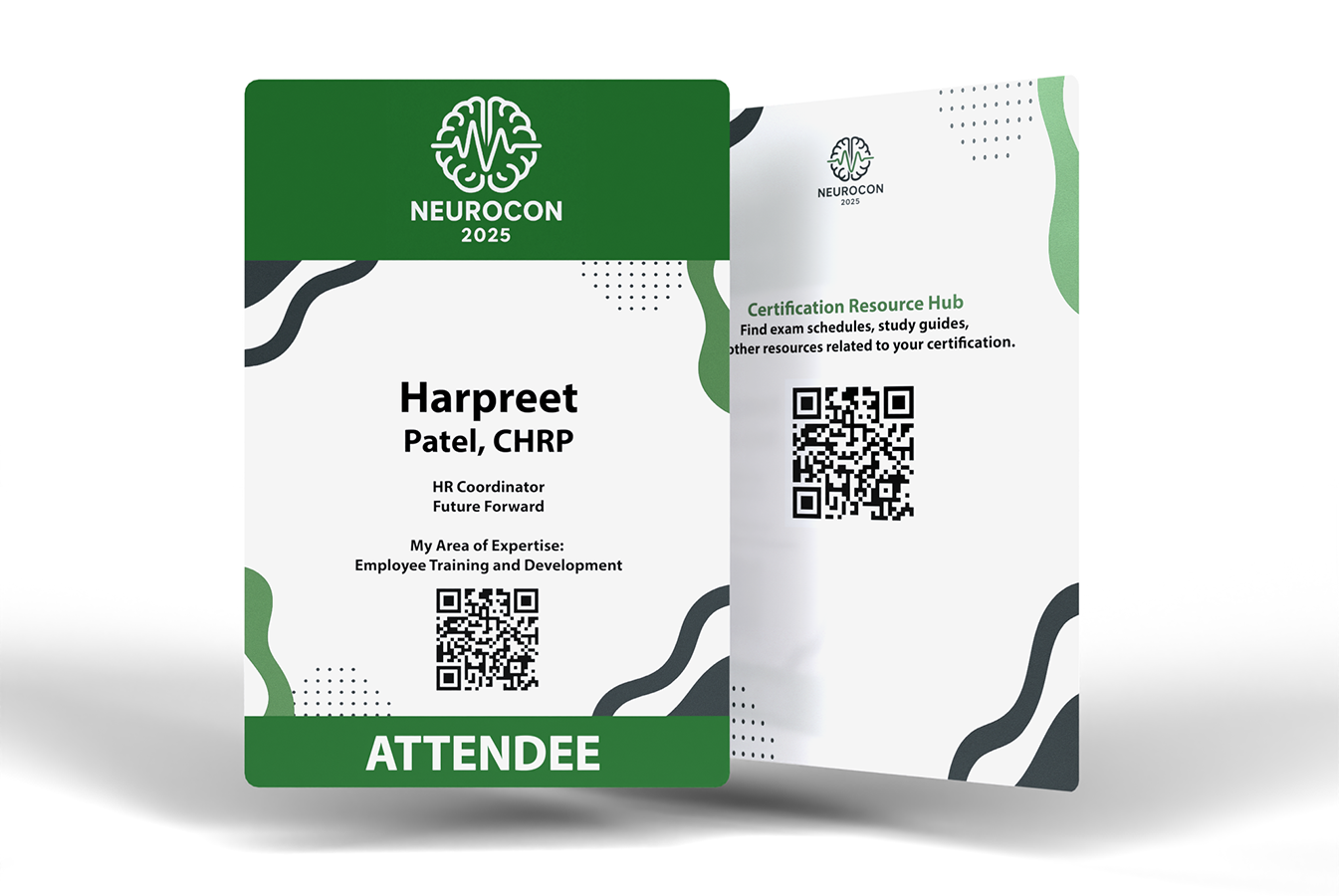
Showcase attendee certification status and area of expertise. On the back, provide a QR code linking to a certification resource hub with study guides, exam schedules, and continuing education materials to help attendees track their progress.
14. The Industry Expert Badge
Spotlight expertise by listing the attendee’s specialty and notable contributions along with their details. On the back, link to industry reports, keynote materials, or expert roundtable schedules to facilitate meaningful professional discussions.
15. The Mentor Match Badge
Clearly distinguish mentors and mentees with role indicators on the front. On the back, include structured networking prompts and a note-taking template when printed on firm laminate or PVC badges, allowing for easy annotations with a washable marker.
16. The Skills Workshop Badge
Indicate skill levels and training tracks on the front. Include session information, equipment access details, and instructor contact information on the back to support hands-on learning and technical skill development.
Networking Event Badge Ideas
17. The Speed Networking Badge
Encourage quick connections by listing attendee details and interests on the badge front. On the back, include a rotation schedule, icebreaker prompts, and conversation starters to help attendees make the most of short networking sessions.
18. The Industry Mixer Badge
Facilitate networking by displaying sector and collaboration goals on the badge front. On the back, provide key networking event details, themed discussion zones, and meetup locations to help attendees easily form valuable connections.
19. The Roundtable Badge
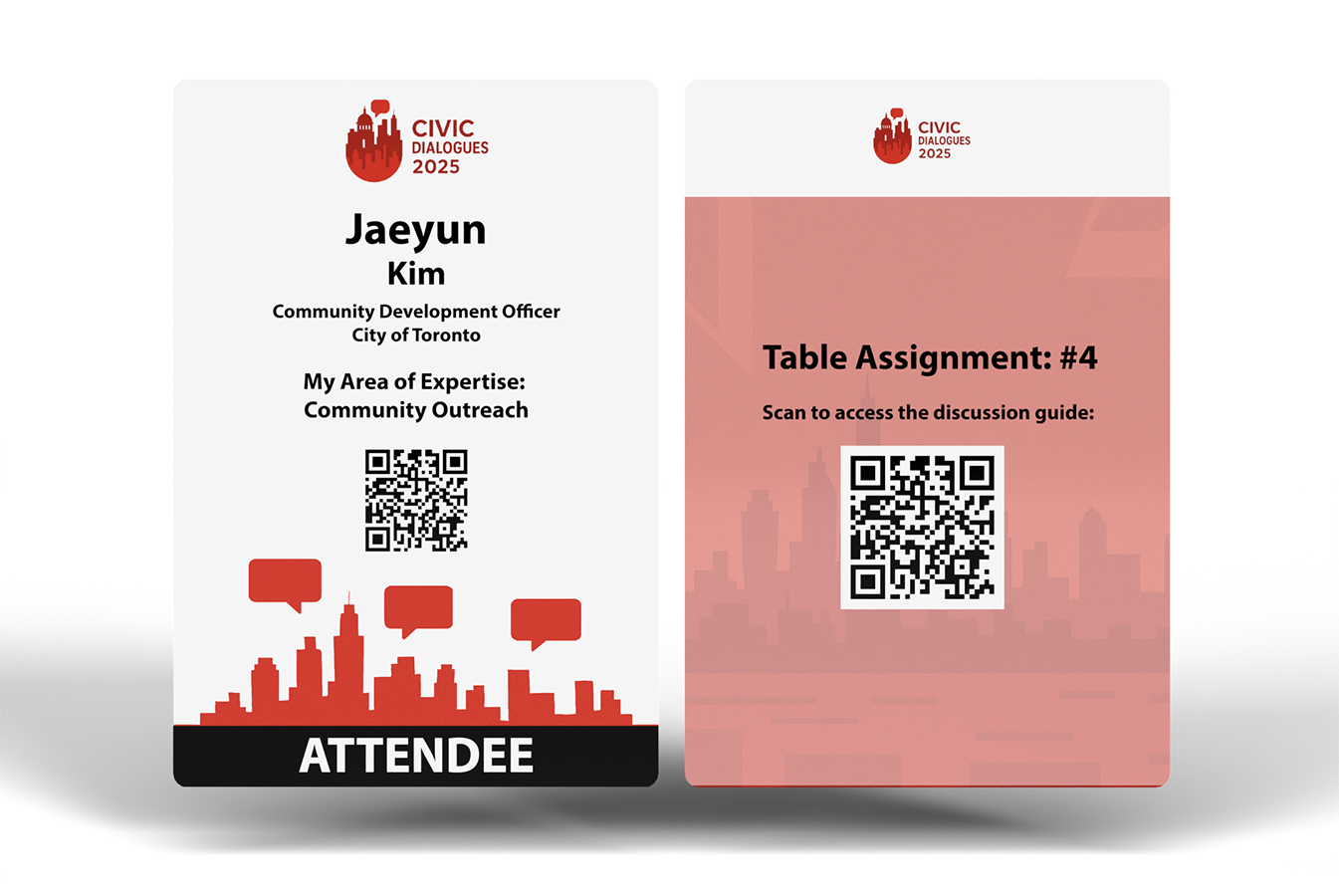
Support discussions by listing an attendee’s topic of expertise on the front. Include table assignments and a QR code linking to relevant session materials or discussion guides on the back to encourage informed and structured participation.
20. The Innovation Forum Badge
Highlight attendee expertise by displaying project focus or technical specialty on the front. On the back, include a QR code linking to an online repository with pitch decks, product roadmaps, or key research findings to foster collaboration and investor and sponsor interest.
Special Event Badge Ideas
21. The Awards Ceremony Badge
Honor achievements by featuring award categories and honoree names prominently on the front. Include the ceremony schedule, photo session times, and special seating arrangements on the badge back to ensure a smooth experience for awardees and guests.
22. The VIP Experience Badge
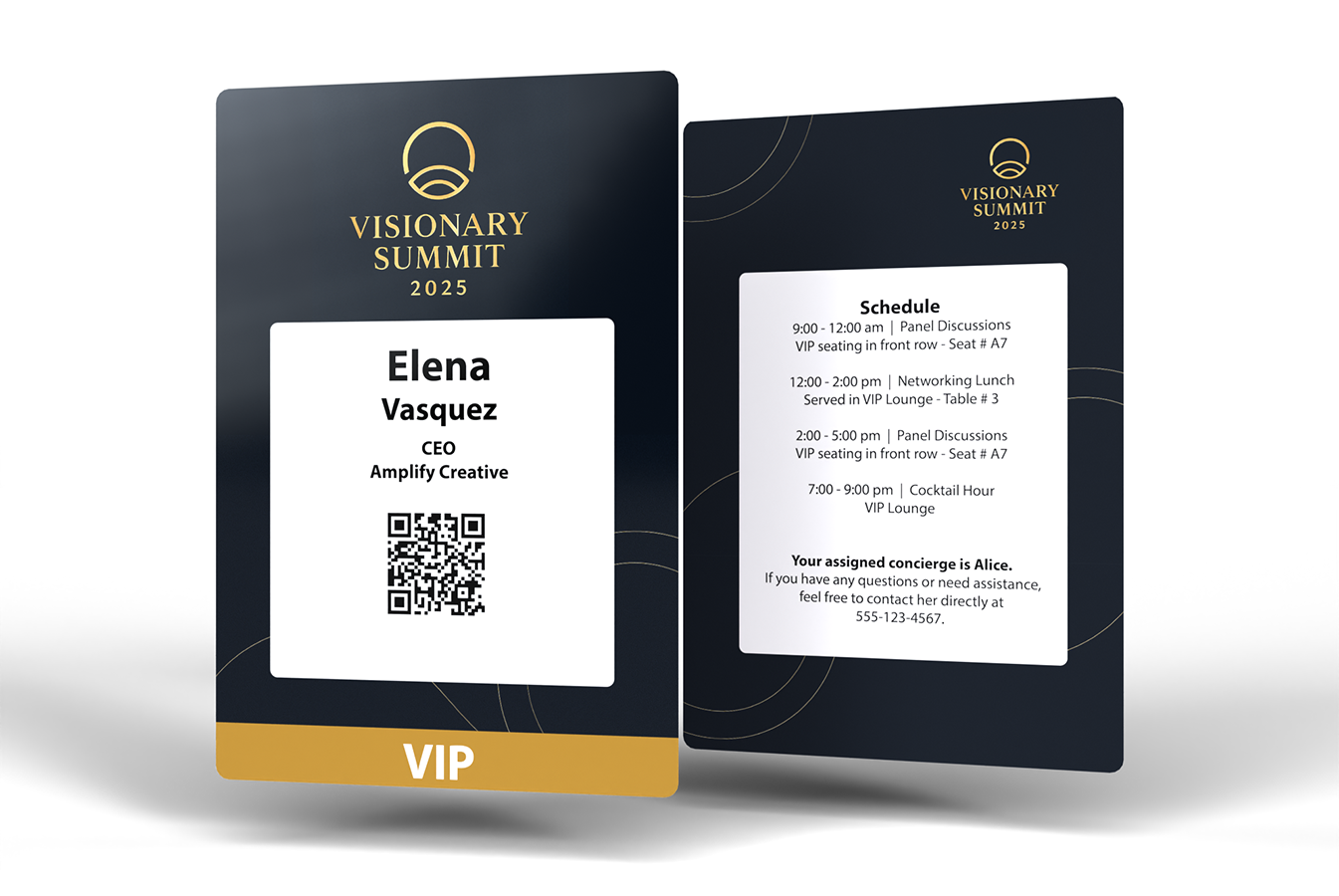
Highlight VIP status by showing access levels on the front of the badge. On the back, include a personalized VIP schedule, lounge locations, and a direct concierge contact to offer a premium event experience for these attendees.
23. The Sponsor Recognition Badge
Acknowledge sponsors with tier levels on the front. On the badge back, provide details on networking event access, key exhibitor benefits, and contact information for support services to ensure they can make the most of their sponsorship investment.
24. The Gala Event Badge
Welcome guests by featuring their names and table assignments on the front. Provide the evening’s schedule, key event highlights, and donor recognition details on the back to help attendees navigate the night with ease.
Conference Management Event Badge Ideas
25. The Event Staff Badge
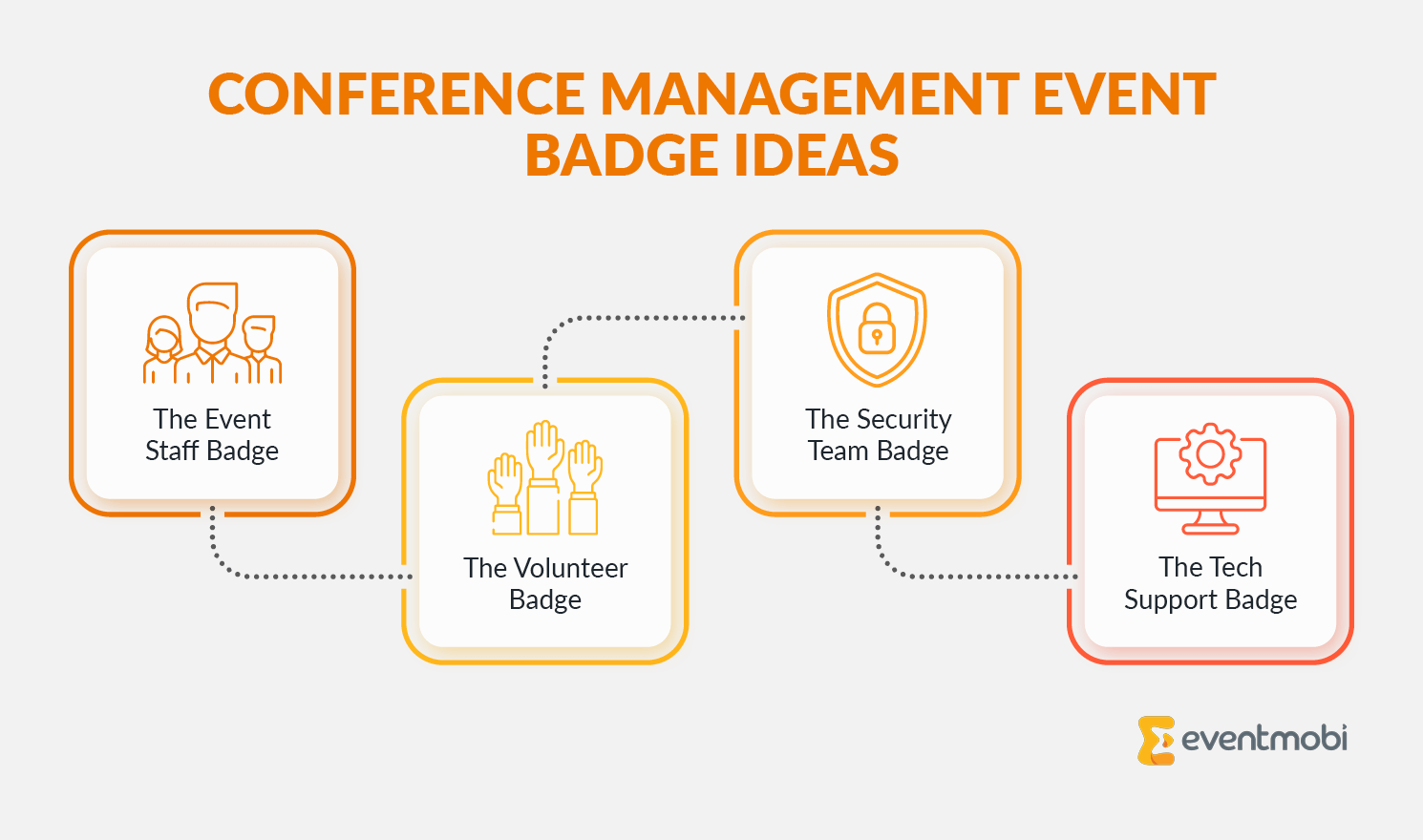
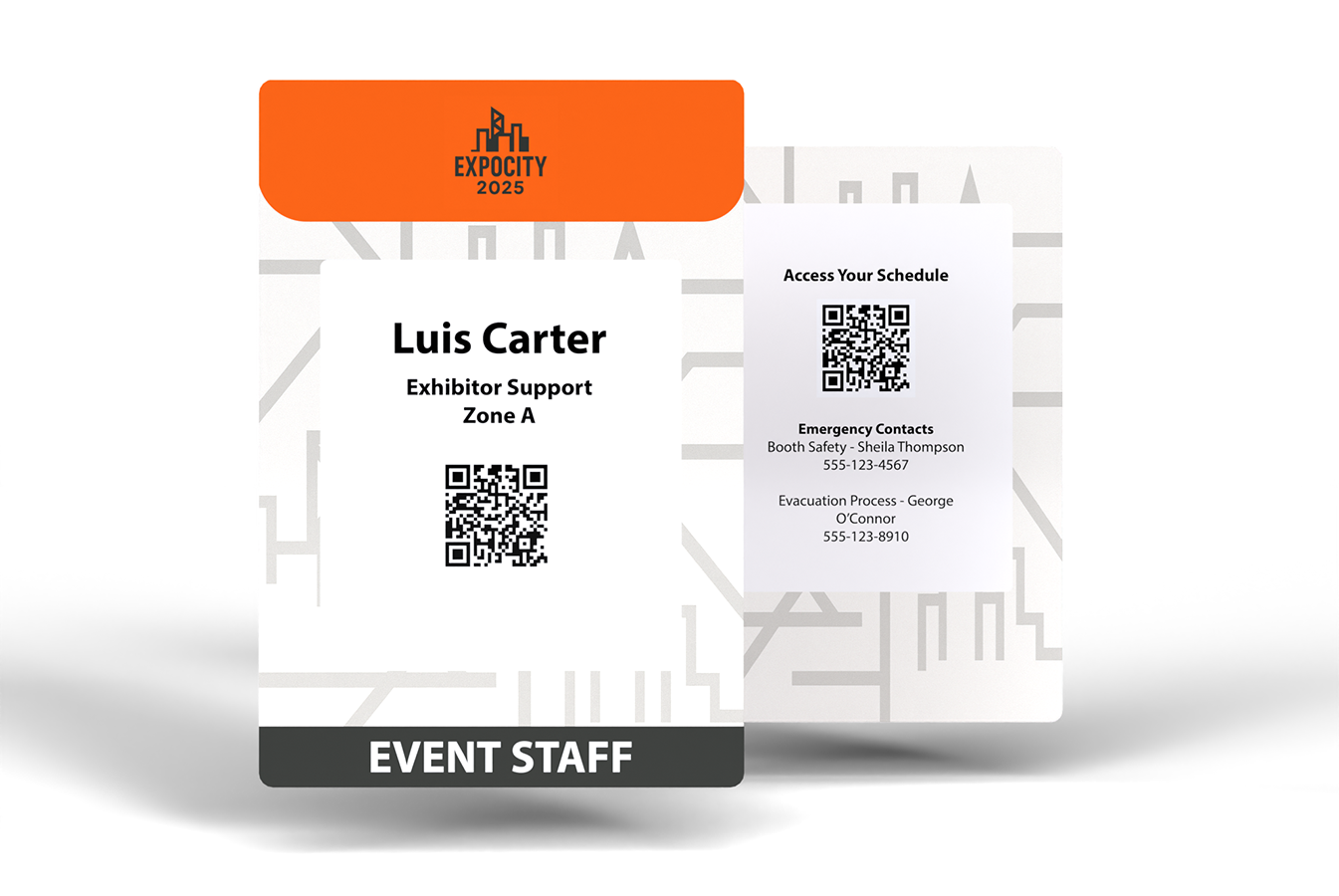
Ensure visibility by featuring roles and zone assignments on the front. On the back, link to shift schedules, and include emergency contacts and escalation procedures so staff can respond quickly to any event needs.
26. The Volunteer Badge
Clearly identify volunteers with roles and assigned areas on the front. On the back, add a QR code linking to volunteer schedules, task assignments, and a contact list for event organizers to provide support as needed.
27. The Security Team Badge
Mark security personnel with access levels and designated zones on the front. Include emergency response procedures, radio channels, and key contact information on the badge back to ensure efficient security coordination.
28. The Tech Support Badge
Clarify responsibilities by listing roles and service areas on the front. System access credentials and links to troubleshooting guides on the back of the badge will help support staff resolve issues quickly.
Multi-Day Event Badge Ideas
29. The Conference Track Badge
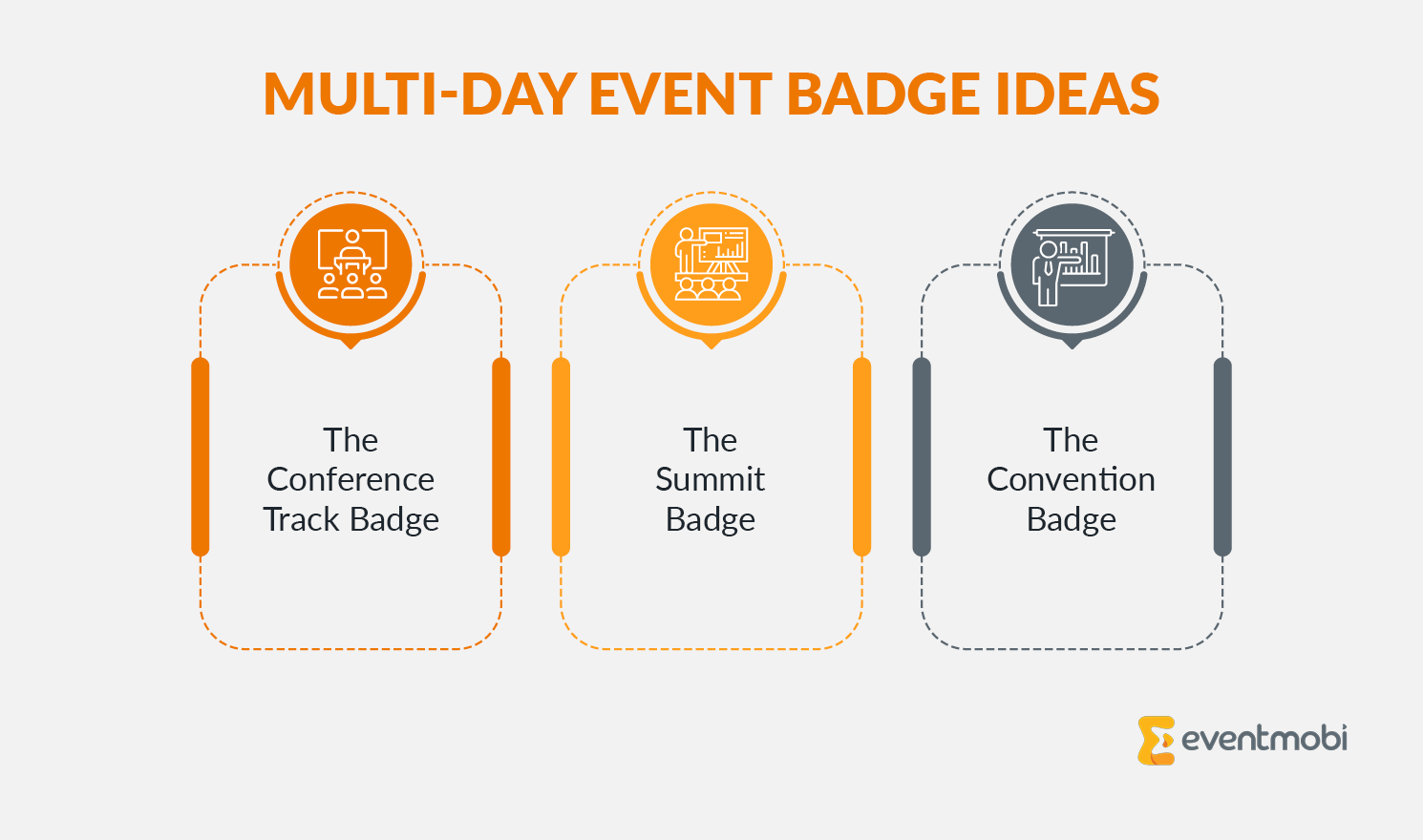
Guide attendees by featuring their selected tracks on the badge front. On the back, include a QR code linking to a track-specific agenda with session times, room locations, and speaker details to help attendees stay on schedule.
30. The Summit Badge
Control access by featuring clearance levels and attendee categories on the front. Provide key contact information for event support, a QR code for venue maps, and details on exclusive networking areas or VIP lounges on the badge back.
31. The Convention Badge
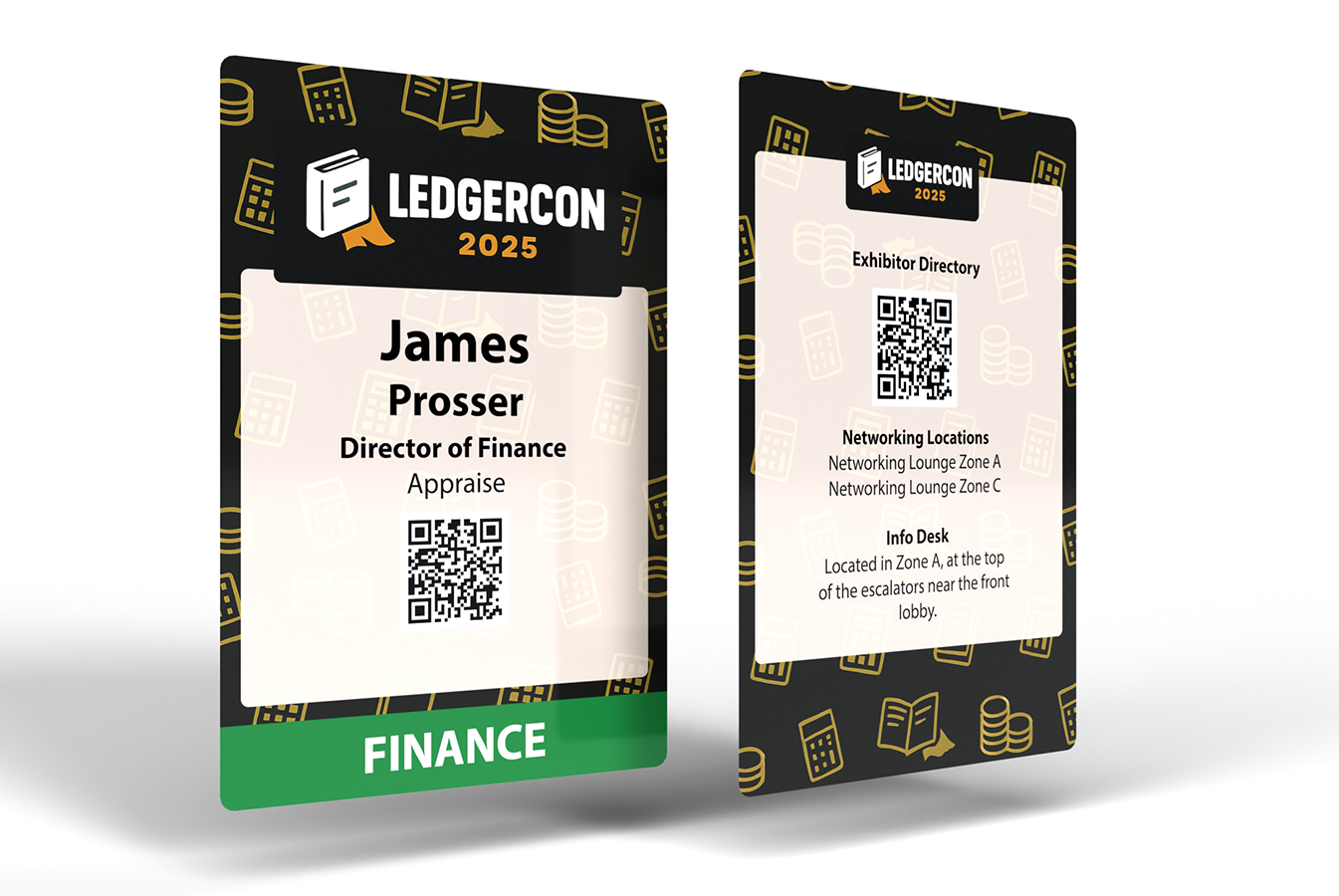
Show attendee industry and session track on the front. On the back, provide a QR code linking to the exhibitor directory, key networking locations, and important venue services like info desks, lounges, and transportation details.
Event Badge FAQs
Want more help with the complete badge creation process? Get detailed advice on how to effectively manage badge design, printing, and check-in at your next event in this step-by-step guide: Conference Badge Design: Create and Print in 7 Easy Steps.
Start Creating Professional Event Badges
Now that you’ve explored these event badge ideas, you’re ready to design your own. Think about your specific event needs and choose elements that will create the best experience for your attendees. For a step-by-step walkthrough of the full design and print process, see EventMobi’s complete guide to conference badge design.
The right badge design tool makes all the difference. EventMobi’s Badge Designer is built for event professionals, so you can create polished badges without any graphic design experience. Paired with Onsite Badge Printing, attendee details flow straight from your registration system to the printer, and badges are produced on demand at check-in. That means no exporting CSVs, no rekeying names on event day, and no bulk reorders if your attendee list changes. Onsite Badge Printing handles pre-registered attendees, walk-ins, and last-minute updates from a single setup, so there’s nothing to scramble for when something shifts at the door.

EventMobi’s Badge Designer and flexible printing solutions make it simple to create and distribute professional event badges.
